How do I register a bank account for membership fee payment?

Charging modules in SportMember

In SportMember, as a club you can create charging modules to receive payments from members in connection with:


- payment of membership fee

- Payment activities

- Events/Tickets (public events)


The payments from these charging modules will be received in a bank account, which you must register yourself on SportMember.


All payments are handled through the payment platform Altapay and are 100% secure.

Il n'y a pas de réponse à cette question qui est liée à l'utilisation de SportMember depuis l'application.


Open Club settings and add bank account

  1. Click on Tools at the bottom left
  2. Click on Club settings
  3. Then click on Payments on the left
  4. Click onAdd bank account
  5. Depending on the type of your club (Individual or club without Tax ID, Company, or Non-profit), different additional information will be required


    TIP: If you don't have any kind of registration number for your club, we reccomand you to choose INDIVIDUAL as an account type
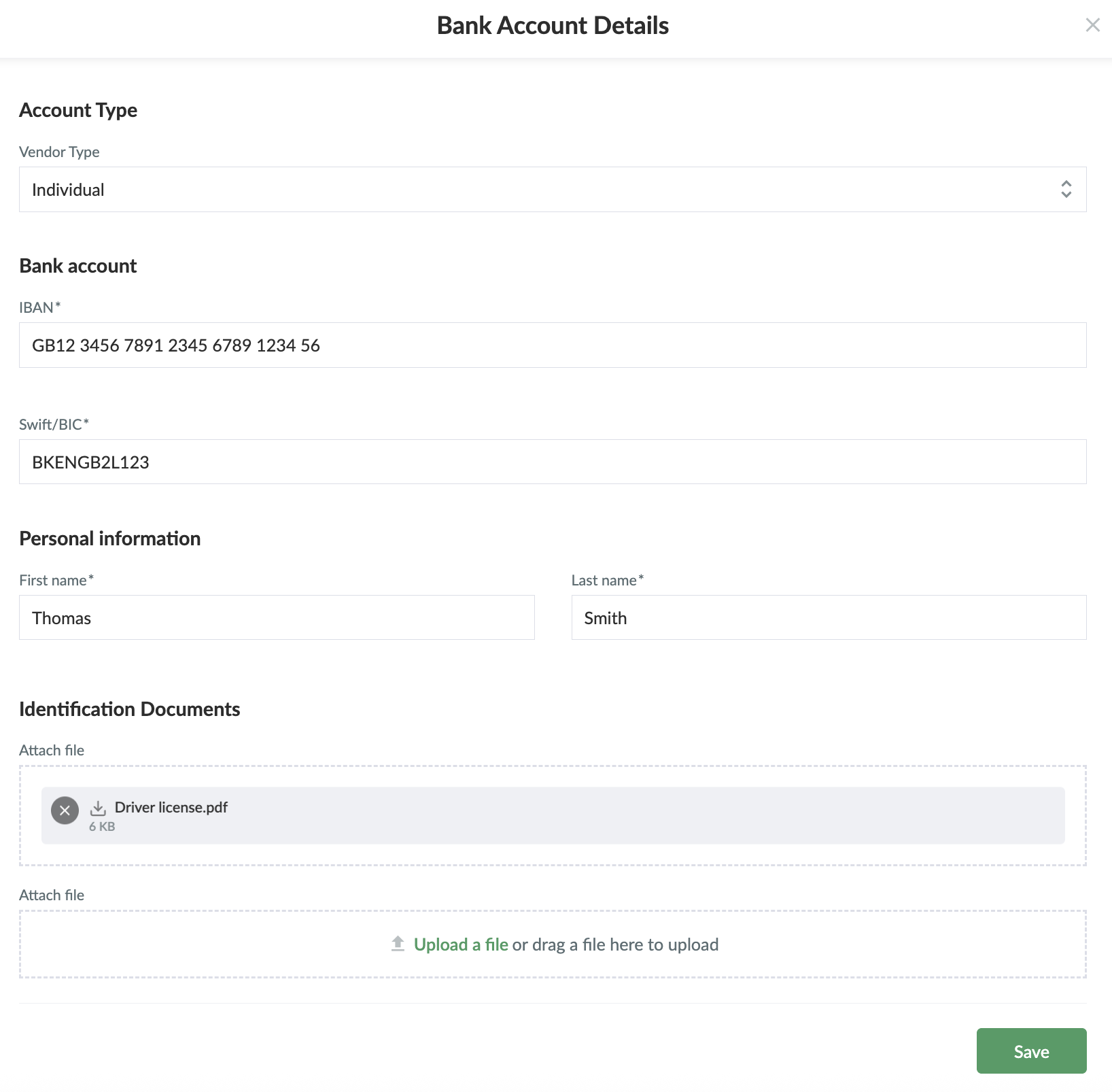
  6. Once you have filled in the required information, click on Save


NOTE: If you wish to remove an account number from the club's deposits, please contact us at [email protected]

Cet article vous a-t-il été utile ?
2 sur 6 ont trouvé cela utile

Prêt à commencer ?

Découvrez SportMember ou créez un compte dès maintenant pour commencer la gestion sportive de votre club ou association. Et si besoin, contactez-nous, on sera ravis de vous aider à démarrer !
Combien ça coûte ?
Quels sont les besoins de votre club ? Abonnement Basique ou PRO ?
Prix
Aperçu des fonctions
Il n’y a pas deux clubs identiques — notre logiciel de gestion sportive s’adapte à chaque association
Aperçu des fonctions